Log Study Time From Your Phone
The extension only sees your desktop browser - but your phone study still counts. Add it from your dashboard here, or from the extension on your computer.
On this website
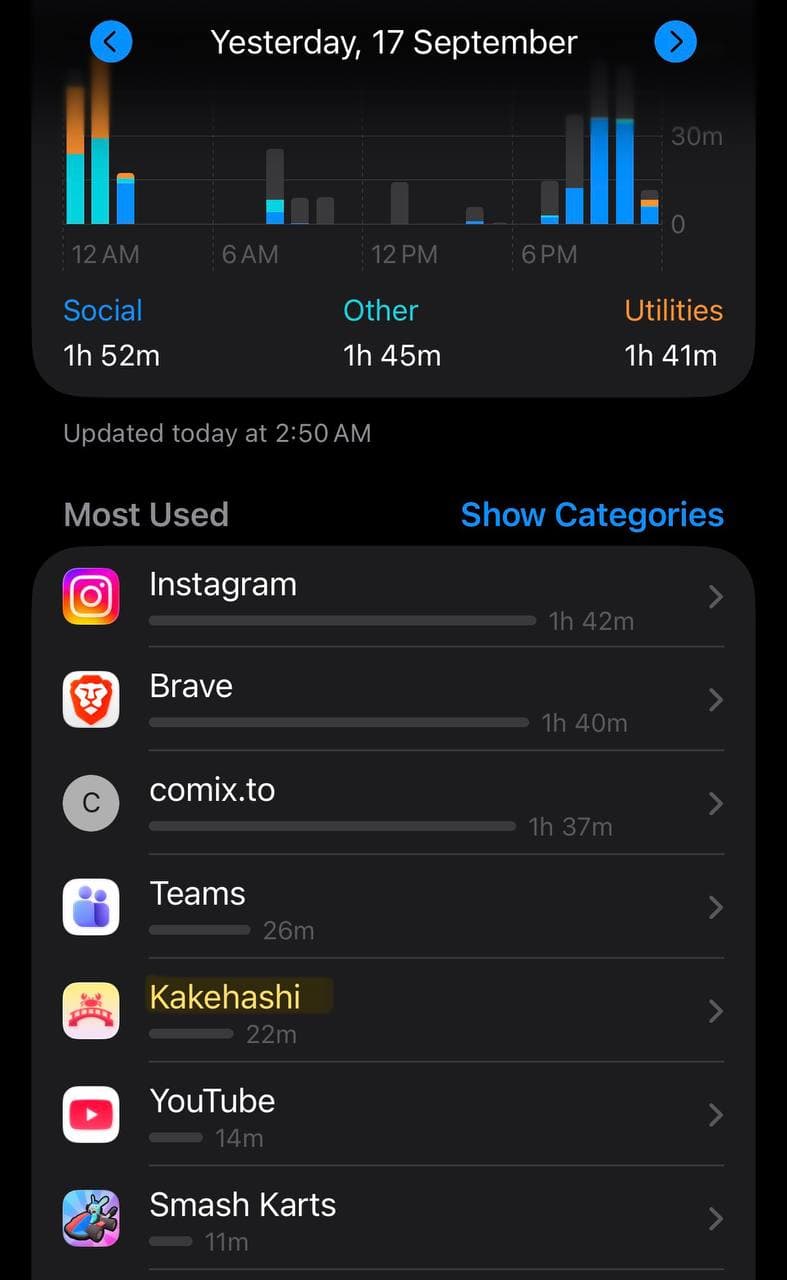
Check your phone's screen time
Open Screen Time (iPhone) or Digital Wellbeing (Android) and find how long you used the Japanese app or site you studied on that day.
Open the site and sign in
Go to japanesesystem.com in your phone's browser and sign in with the same Google account your extension is connected to. You'll find "Studied away from the browser?" on both Home and your Dashboard.
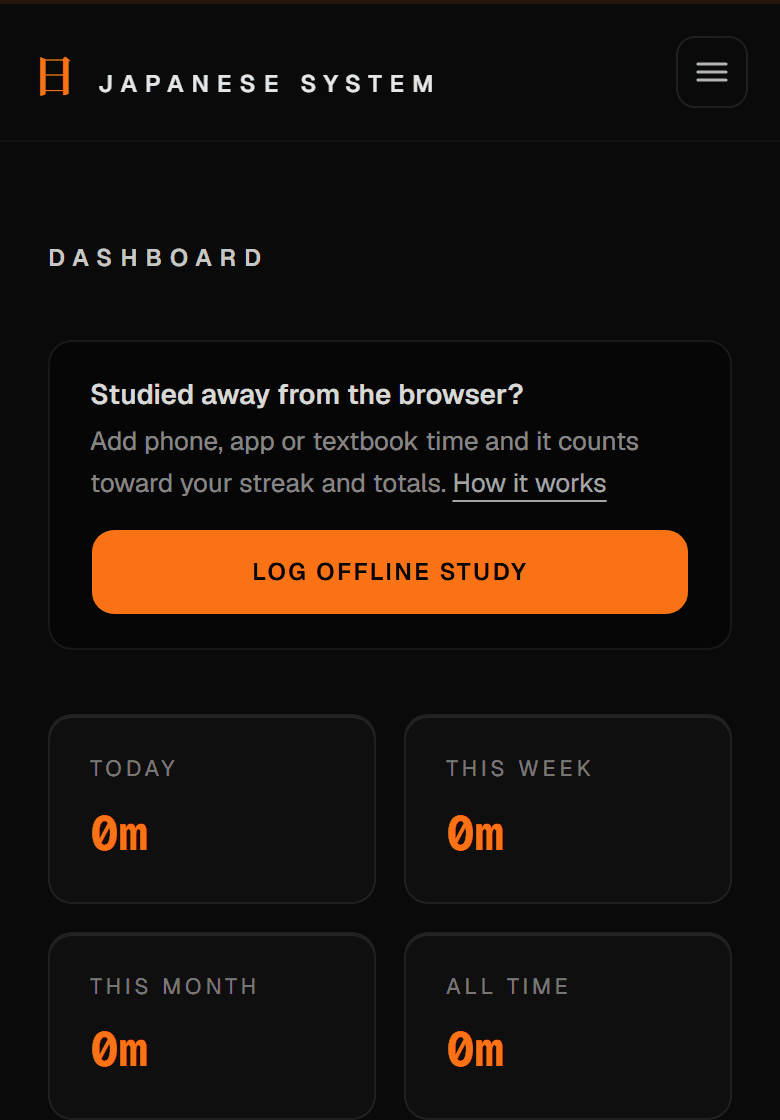
Tap "Log offline study"
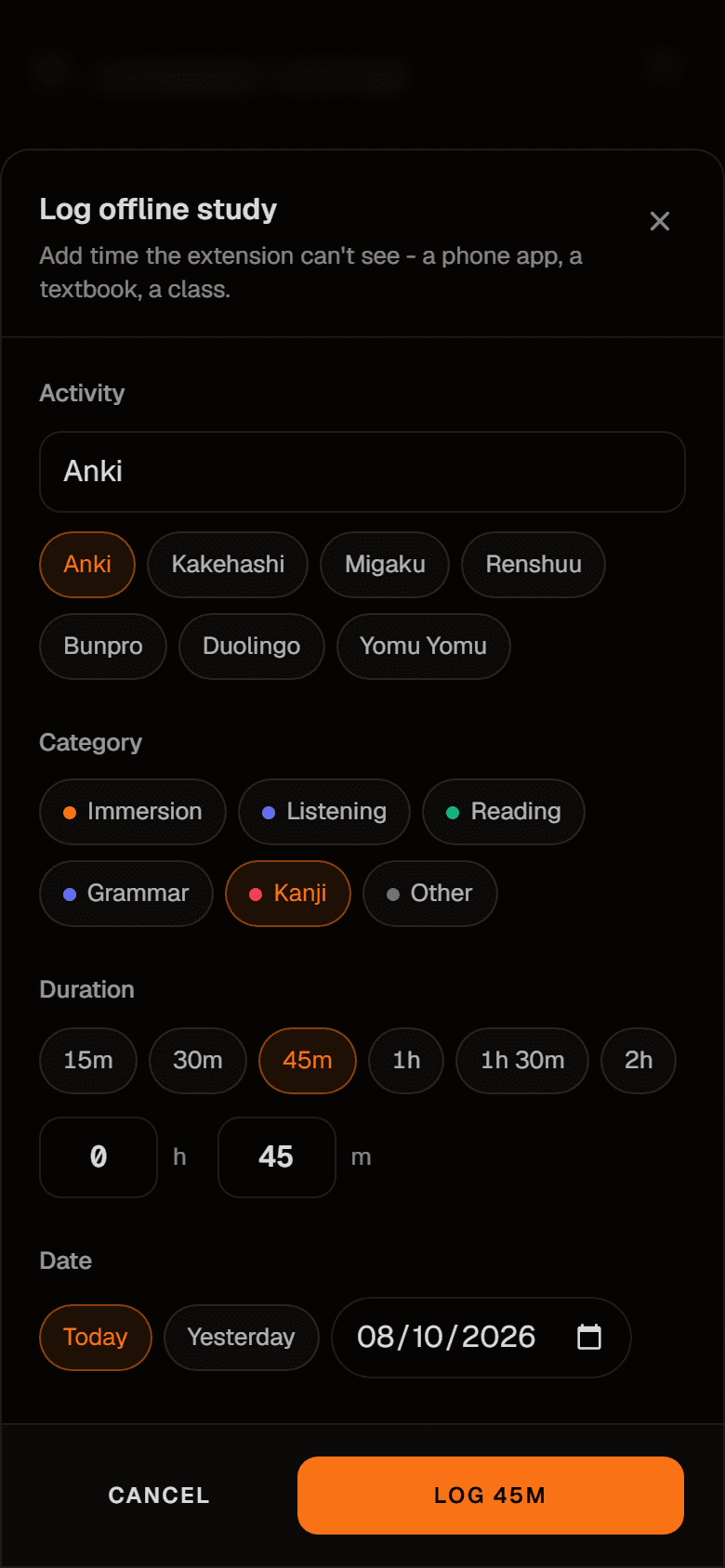
Type or pick what you studied, choose a category, set the duration and the day, then save. One entry can be up to 6 hours - split a longer day into separate entries.
It counts everywhere
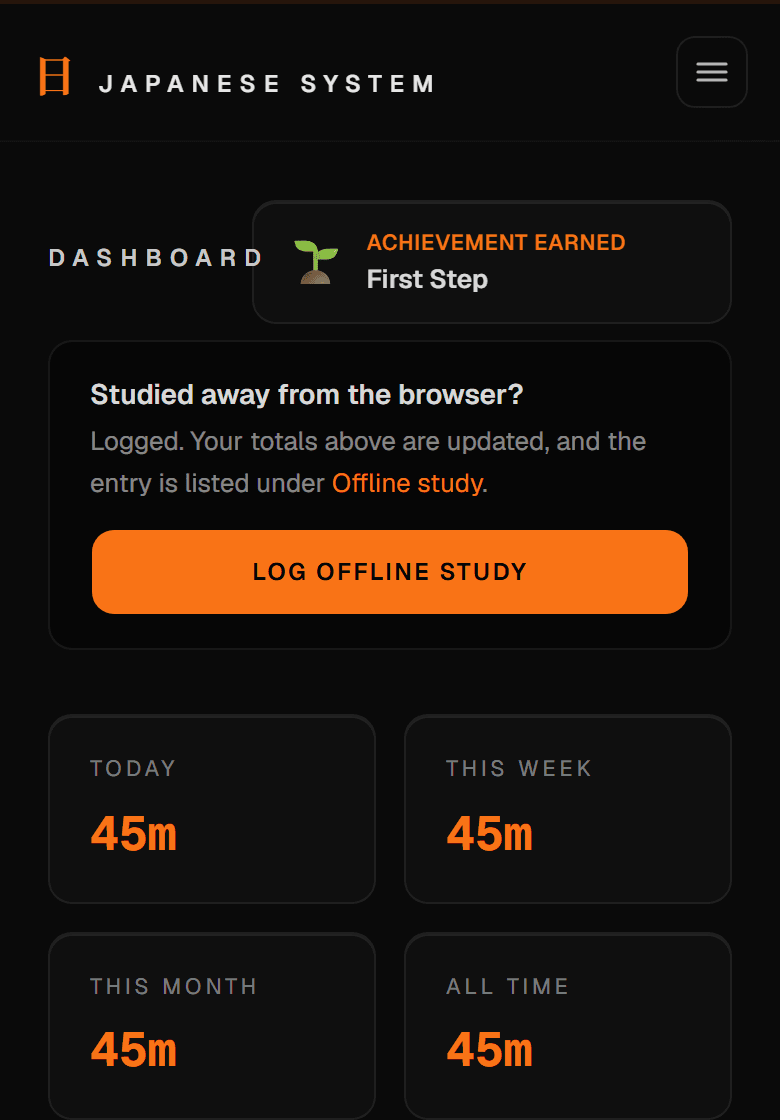
Your totals, streak and goals on this site update straight away. The extension on your computer picks the entry up the next time you open it. Logged something by mistake? Delete it under "Offline Study" on your dashboard.
Or from the extension
Prefer to do it at your computer? The extension has the same form, and it works without an account.
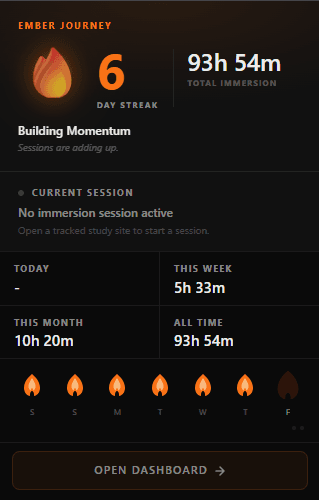
Open your extension dashboard
Click the Japanese System icon in your Chrome toolbar, then click "Open Dashboard" in the popup.
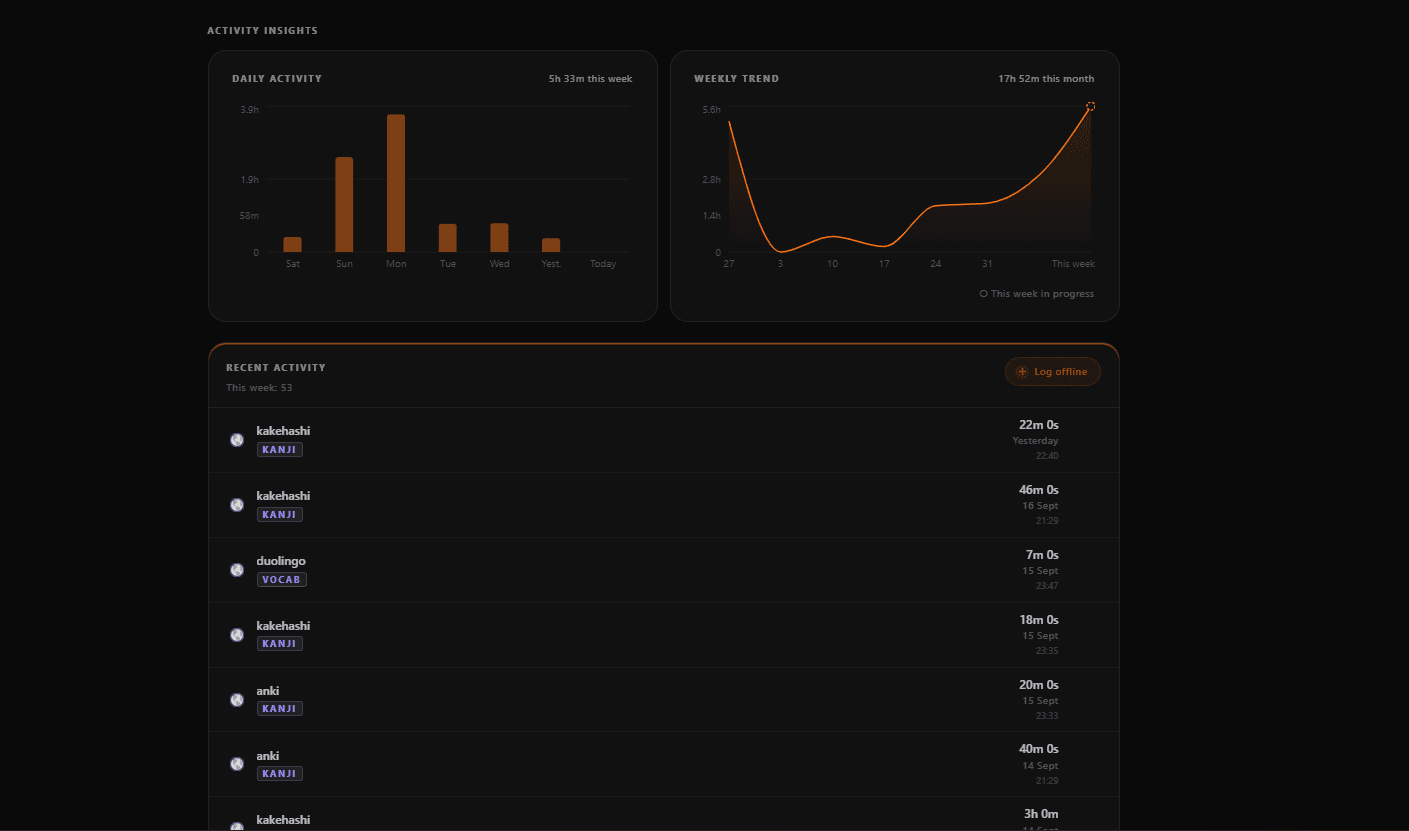
Scroll to Recent Activity
On the dashboard, scroll past "Activity Insights" to the "Recent Activity" card.
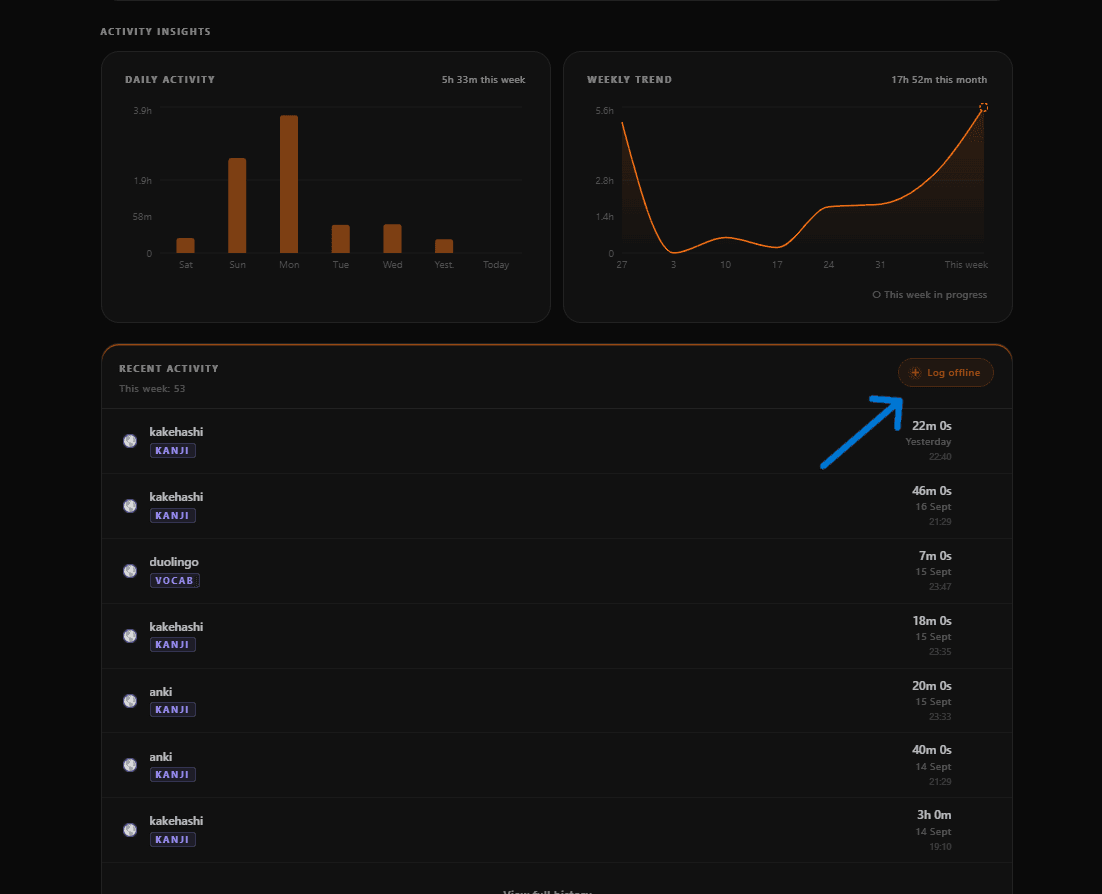
Click "Log offline"
In the top-right of the Recent Activity card, click the "Log offline" button to open the manual entry form.
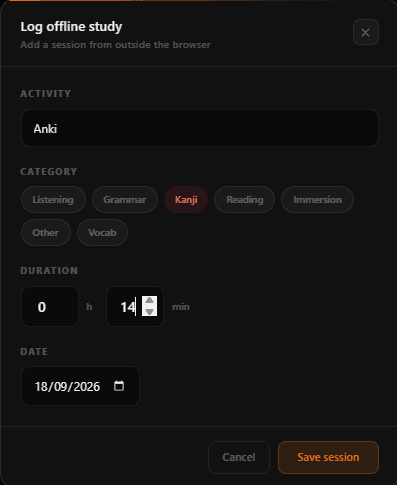
Fill in the form and save
In the "Log offline study" form, type the app or site name under Activity, pick a Category, enter the Duration, confirm the Date, then click "Save session".
It syncs automatically
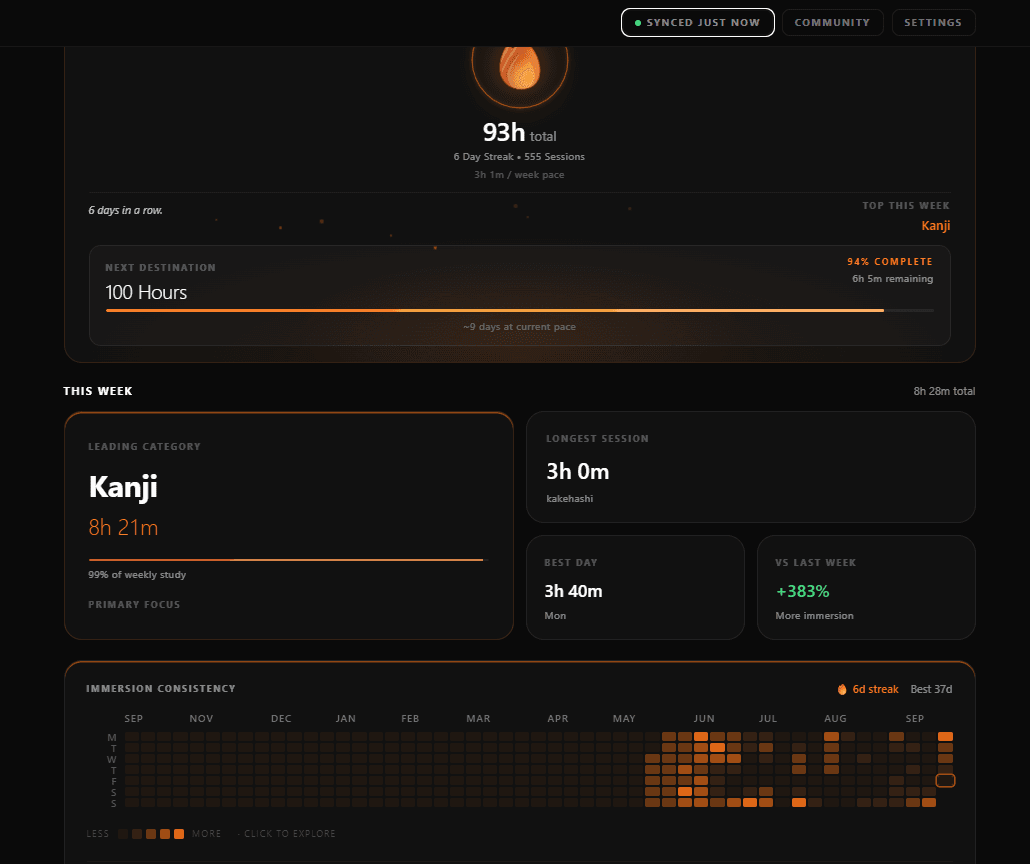
Your entry syncs to your account on its own within about 5 minutes - watch the sync status in the top-right of the dashboard turn to "Synced just now". In a hurry? Click it to sync right away.
Why isn't this automatic?
Chrome extensions only run inside a desktop browser, so Japanese System has no way to see what you study on your phone directly. Logging it manually keeps your full immersion time accurate for now - a mobile app that tracks this automatically is on the roadmap once there are enough learners on the site to justify building it.